> ## Documentation Index
> Fetch the complete documentation index at: https://docs.restate.dev/llms.txt
> Use this file to discover all available pages before exploring further.
# Observability & Control
> Full visibility into agent execution. Inspect journals, export traces, and cancel or kill stuck agents.
Restate's execution journal gives you complete visibility into what your agents are doing. Every LLM call, tool execution, routing decision, and state change is recorded and inspectable.
## Restate UI
The Restate UI (`http://localhost:9070`) provides a live view of your agent executions:
* **Invocations list**: See all running, suspended, and completed agent invocations
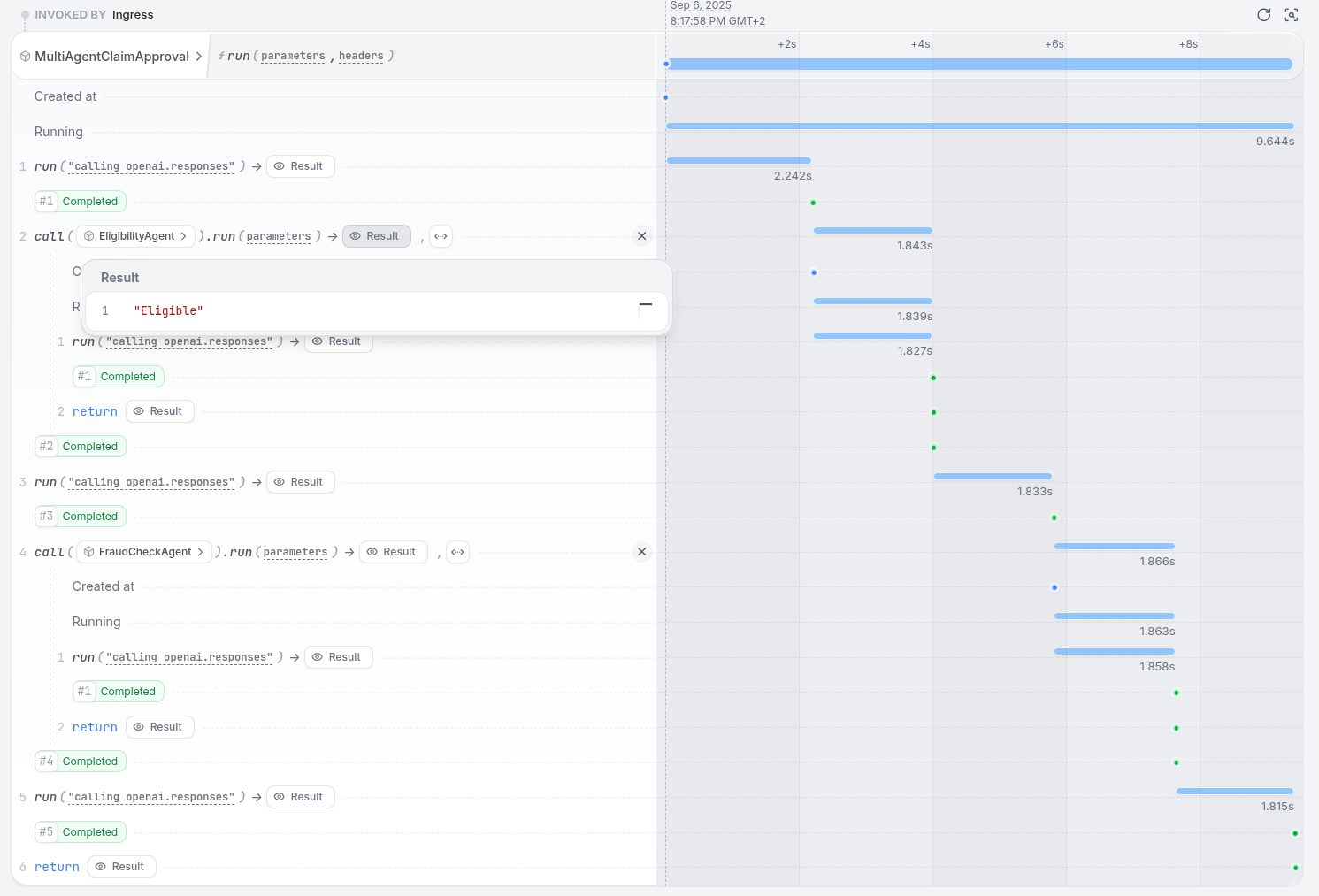
* **Journal view**: Inspect the step-by-step execution of any agent, including inputs, outputs, and timings
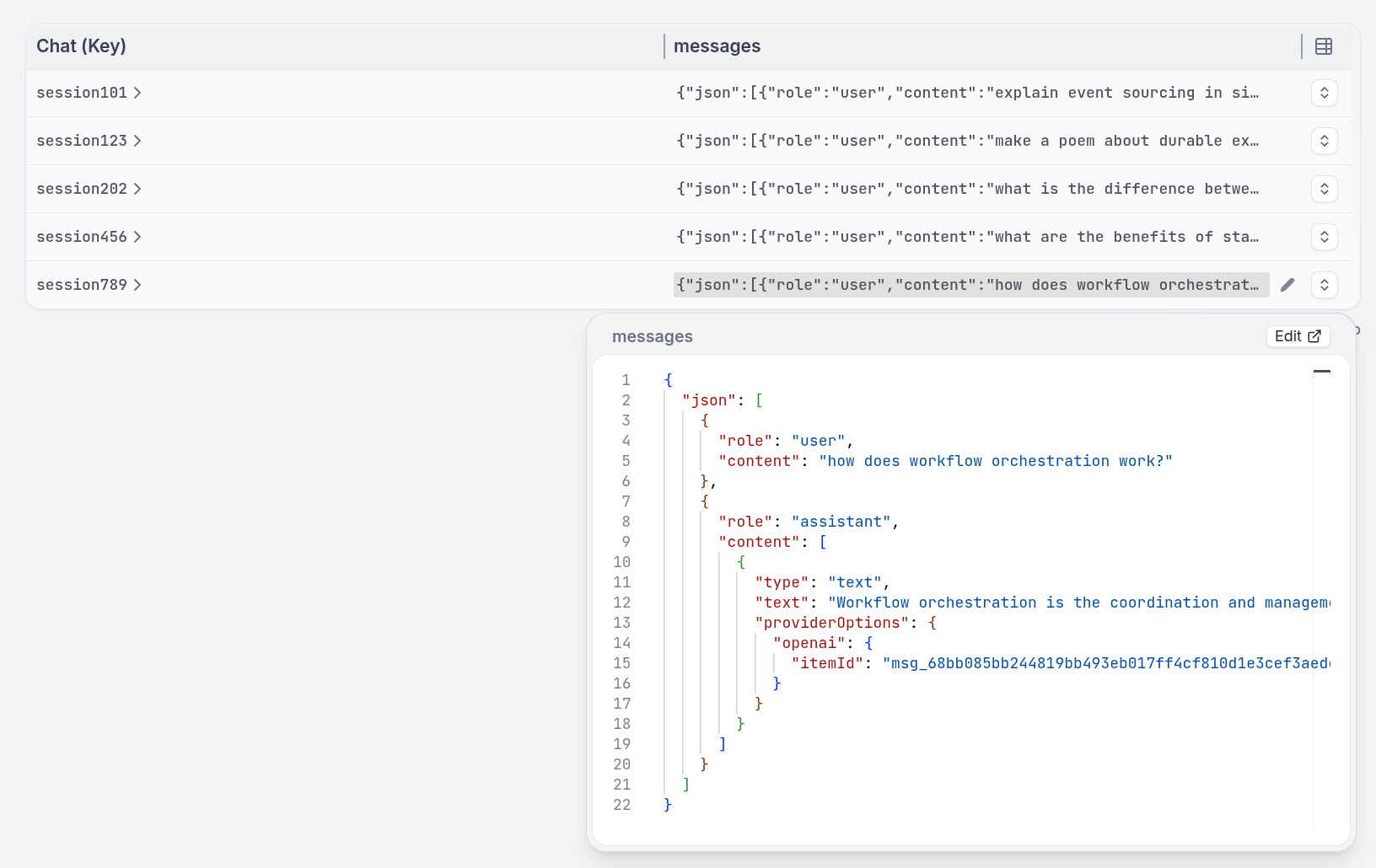
* **State view**: View the current K/V state of Virtual Objects (sessions, agent state)
* **Nested calls**: For multi-agent systems, trace the complete call chain across services in a single view
 The state tab shows what is stored in each Virtual Object:
 ## Tracing
Restate exports [OpenTelemetry traces](/server/monitoring/tracing) for all agent executions. Connect to your existing observability stack:
* LangFuse, Jaeger, or any OpenTelemetry-compatible backend
* Each durable step appears as a span in the trace
* Cross-service calls (remote agents) are connected in a single distributed trace
## Cancelling and killing agents
You can manage stuck or runaway agents:
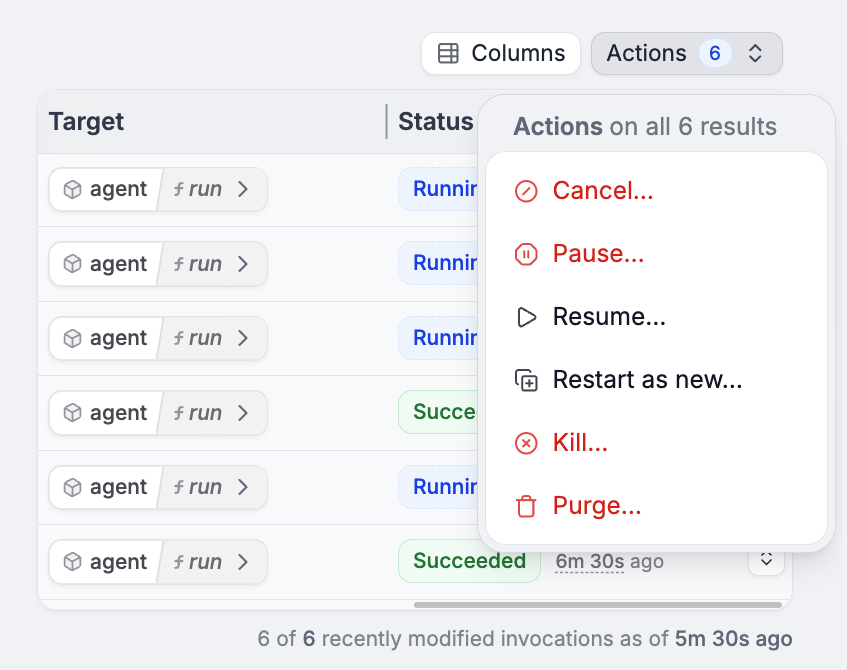
* **Cancel**: Gracefully stops an invocation, allowing compensation/cleanup logic to run
* **Kill**: Immediately terminates an invocation without cleanup
Via the Restate UI:
## Tracing
Restate exports [OpenTelemetry traces](/server/monitoring/tracing) for all agent executions. Connect to your existing observability stack:
* LangFuse, Jaeger, or any OpenTelemetry-compatible backend
* Each durable step appears as a span in the trace
* Cross-service calls (remote agents) are connected in a single distributed trace
## Cancelling and killing agents
You can manage stuck or runaway agents:
* **Cancel**: Gracefully stops an invocation, allowing compensation/cleanup logic to run
* **Kill**: Immediately terminates an invocation without cleanup
Via the Restate UI:
 [Or via the CLI](/services/invocation/managing-invocations#cancel).
This is critical for long-running agents that may get stuck in loops or consume excessive resources.
[Or via the CLI](/services/invocation/managing-invocations#cancel).
This is critical for long-running agents that may get stuck in loops or consume excessive resources.