> ## Documentation Index
> Fetch the complete documentation index at: https://docs.restate.dev/llms.txt
> Use this file to discover all available pages before exploring further.
# Deno Deploy
> Run your TypeScript services on Deno Deploy
export const CustomVars = ({name}) => {
const RESTATE_VERSION = "1.7";
const TYPESCRIPT_SDK_VERSION = "1.15.1";
const JAVA_SDK_VERSION = "2.8.0";
const GO_SDK_VERSION = "1.0.0";
const PYTHON_SDK_VERSION = "1.0.0";
const RUST_SDK_VERSION = "0.10.0";
const mapping = {
RESTATE_VERSION,
TYPESCRIPT_SDK_VERSION,
JAVA_SDK_VERSION,
GO_SDK_VERSION,
PYTHON_SDK_VERSION,
RUST_SDK_VERSION,
JAVA_HTTP_DEPENDENCY: `dev.restate:sdk-java-http:${JAVA_SDK_VERSION}`,
KOTLIN_HTTP_DEPENDENCY: `dev.restate:sdk-kotlin-http:${JAVA_SDK_VERSION}`,
JAVA_LAMBDA_DEPENDENCY: `dev.restate:sdk-java-lambda:${JAVA_SDK_VERSION}`,
KOTLIN_LAMBDA_DEPENDENCY: `dev.restate:sdk-kotlin-lambda:${JAVA_SDK_VERSION}`,
JAVA_SDK_REQUEST_IDENTITY: `dev.restate:sdk-request-identity:${JAVA_SDK_VERSION}`,
JAVA_TESTING: `dev.restate:sdk-testing:${JAVA_SDK_VERSION}`,
JAVA_CLIENT: `dev.restate:client:${JAVA_SDK_VERSION}`,
KOTLIN_CLIENT: `dev.restate:client-kotlin:${JAVA_SDK_VERSION}`,
DENO_FETCH: `npm:@restatedev/restate-sdk@^${TYPESCRIPT_SDK_VERSION}/fetch`
};
return mapping[name];
};
Deploy your Restate services on Deno Deploy.
This guide covers project configuration, service registration, and security setup.
Follow the [quickstart](/quickstart#deno) to try Deno and Restate locally.
## Set up your project
Start with the [deno-template](https://github.com/restatedev/examples/tree/main/typescript/templates/deno) and follow its README.
[](https://console.deno.com/new?clone=https://github.com/restatedev/deno-template)
Import the Restate SDK with the `fetch` component:
```typescript theme={null}
import * as restate from "@restatedev/restate-sdk/fetch";
// Create the Restate endpoint
// Here you need to register your services
const handler = restate.createEndpointHandler({
services: [greeter],
bidirectional: true,
});
// Serve using Deno
Deno.serve({ port: 9080 }, handler);
```
## Register the service to Restate
Once deployed on Deno Deploy EA, [register the service](/services/versioning) with Restate using the CLI or UI. Use **Preview URLs** so that Restate can target specific Deno deployments:
```shell theme={null}
npx @restatedev/restate deployments register \
https://your-project-name-.deno.dev
```
You're set up. Head over to the **Overview page > Greeter > Playground** and start sending requests to your service.
## Restate identity keys (for Restate Cloud)
In order to make sure only a specific Restate Cloud environment can push requests to your Deno Deploy deployment,
head over to your Restate Cloud Dashboard to set up Restate identity keys.
Set up Restate identity keys
## CI/CD Automation
You can set up automation to register new [Restate service versions](/services/versioning) every time you deploy to Deno Deploy:
```yml theme={null}
name: Register to Restate
on:
repository_dispatch:
types: [deno_deploy.build.routed] # Listen for successful builds
jobs:
notify:
runs-on: ubuntu-latest
steps:
- name: Register Restate deployment
env:
RESTATE_ADMIN_URL: ${{ secrets.RESTATE_ADMIN_URL }}
RESTATE_AUTH_TOKEN: ${{ secrets.RESTATE_AUTH_TOKEN }}
run: npx -y @restatedev/restate deployment register -y ${{ github.event.client_payload.revision.preview_url }}
```
For this workflow to execute, you need to add the following [**GitHub Actions repository secrets**](https://docs.github.com/en/actions/how-tos/write-workflows/choose-what-workflows-do/use-secrets):
* `RESTATE_ADMIN_URL`: The Admin URL. You can find it in [Developers > Admin URL](https://cloud.restate.dev/to/developers/integration#admin)
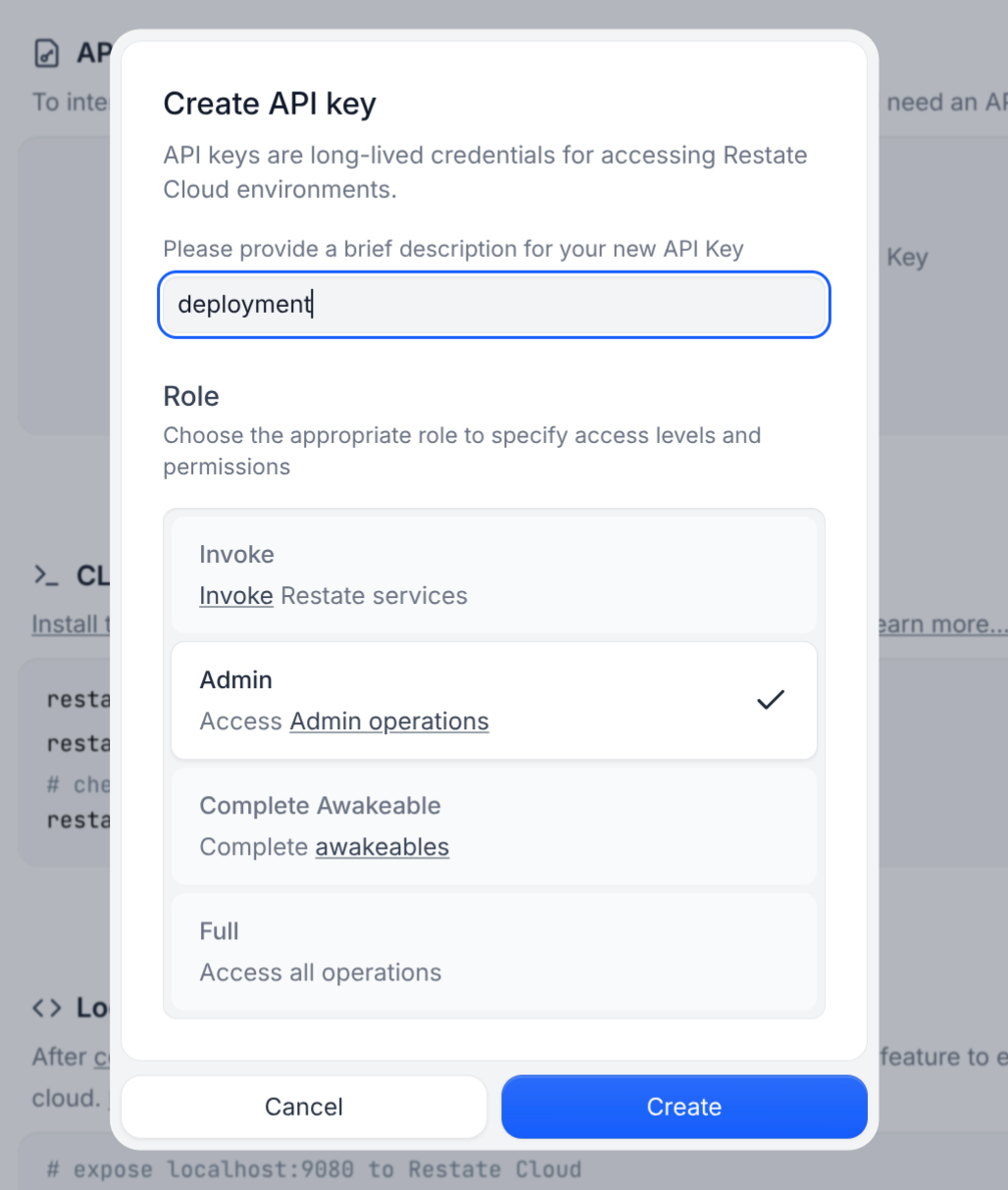
* `RESTATE_AUTH_TOKEN`: Your Restate Cloud auth token. To get one, go to [Developers > API Keys > Create API Key](https://cloud.restate.dev/to/developers/integration?createApiKey=true\&createApiKeyDescription=deployment-key\&createApiKeyRole=rst:role::AdminAccess), and make sure to select **Admin** for the role
 For [Deno Deploy Classic](https://docs.deno.com/deploy/classic/), we suggest the following CI/CD setup that deploys to Deno and then registers the deployment with Restate:
```yml theme={null}
name: Deploy Deno
on:
push:
branches:
- main
env:
# Create the Deno project going to https://dash.deno.com/new_project linking this repository.
# When creating the project, check **Just link the repo, I’ll set up GitHub Actions myself**.
# Make sure this project name matches the deno project.
DENO_PROJECT_NAME: ${{ vars.DENO_PROJECT_NAME }}
jobs:
deploy:
permissions:
id-token: write # required
contents: read
runs-on: ubuntu-latest
timeout-minutes: 60
steps:
- uses: actions/checkout@v4
- uses: denoland/setup-deno@v2
with:
deno-version: v2.x
# Deploy using deployctl
- name: Deploy to Deno Deploy
uses: denoland/deployctl@v1
id: deploy
with:
project: ${{ env.DENO_PROJECT_NAME }}
entrypoint: main.ts
- name: Register Restate deployment
env:
RESTATE_ADMIN_URL: ${{ secrets.RESTATE_ADMIN_URL }}
RESTATE_AUTH_TOKEN: ${{ secrets.RESTATE_AUTH_TOKEN }}
# Revision URL https://docs.deno.com/deploy/classic/deployments/#production-vs.-preview-deployments
run: npx -y @restatedev/restate deployment register -y https://${{ env.DENO_PROJECT_NAME }}-${{ steps.deploy.outputs.deployment-id }}.deno.dev
```
You can use this workflow with Self-hosted Restate as well,
just make sure to correctly set up `RESTATE_AUTH_TOKEN` and `RESTATE_ADMIN_URL` to reach your Restate cluster.
For [Deno Deploy Classic](https://docs.deno.com/deploy/classic/), we suggest the following CI/CD setup that deploys to Deno and then registers the deployment with Restate:
```yml theme={null}
name: Deploy Deno
on:
push:
branches:
- main
env:
# Create the Deno project going to https://dash.deno.com/new_project linking this repository.
# When creating the project, check **Just link the repo, I’ll set up GitHub Actions myself**.
# Make sure this project name matches the deno project.
DENO_PROJECT_NAME: ${{ vars.DENO_PROJECT_NAME }}
jobs:
deploy:
permissions:
id-token: write # required
contents: read
runs-on: ubuntu-latest
timeout-minutes: 60
steps:
- uses: actions/checkout@v4
- uses: denoland/setup-deno@v2
with:
deno-version: v2.x
# Deploy using deployctl
- name: Deploy to Deno Deploy
uses: denoland/deployctl@v1
id: deploy
with:
project: ${{ env.DENO_PROJECT_NAME }}
entrypoint: main.ts
- name: Register Restate deployment
env:
RESTATE_ADMIN_URL: ${{ secrets.RESTATE_ADMIN_URL }}
RESTATE_AUTH_TOKEN: ${{ secrets.RESTATE_AUTH_TOKEN }}
# Revision URL https://docs.deno.com/deploy/classic/deployments/#production-vs.-preview-deployments
run: npx -y @restatedev/restate deployment register -y https://${{ env.DENO_PROJECT_NAME }}-${{ steps.deploy.outputs.deployment-id }}.deno.dev
```
You can use this workflow with Self-hosted Restate as well,
just make sure to correctly set up `RESTATE_AUTH_TOKEN` and `RESTATE_ADMIN_URL` to reach your Restate cluster.