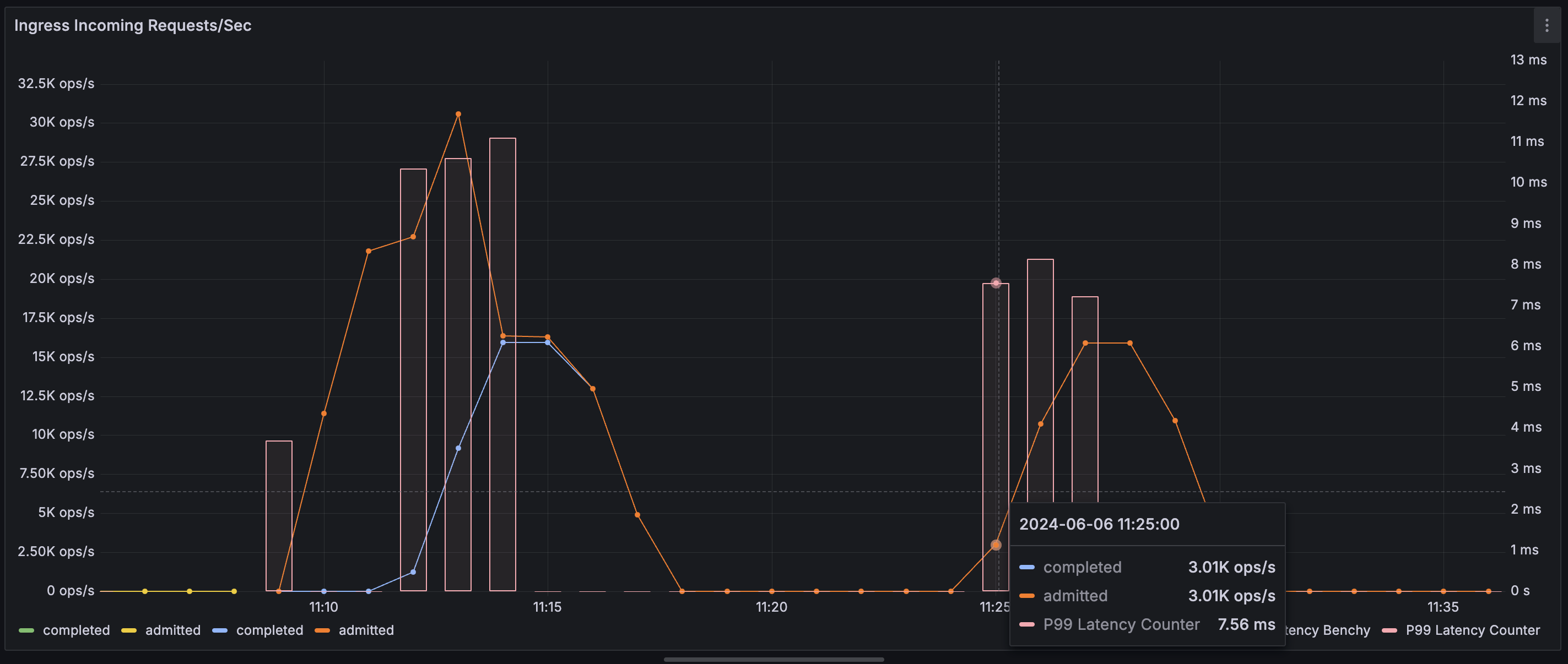
5122) endpoint, i.e. localhost:5122/metrics. For instance, configure Prometheus to scrape this endpoint every 30 seconds by adding this section to Prometheus configuration (assuming Restate server’s IP address is 10.10.10.1 and accessible by Prometheus:
rocksdb-statistics-level in the configuration file. In most cases, the default value will be sufficient for production deployment monitoring.
Grafana Dashboards
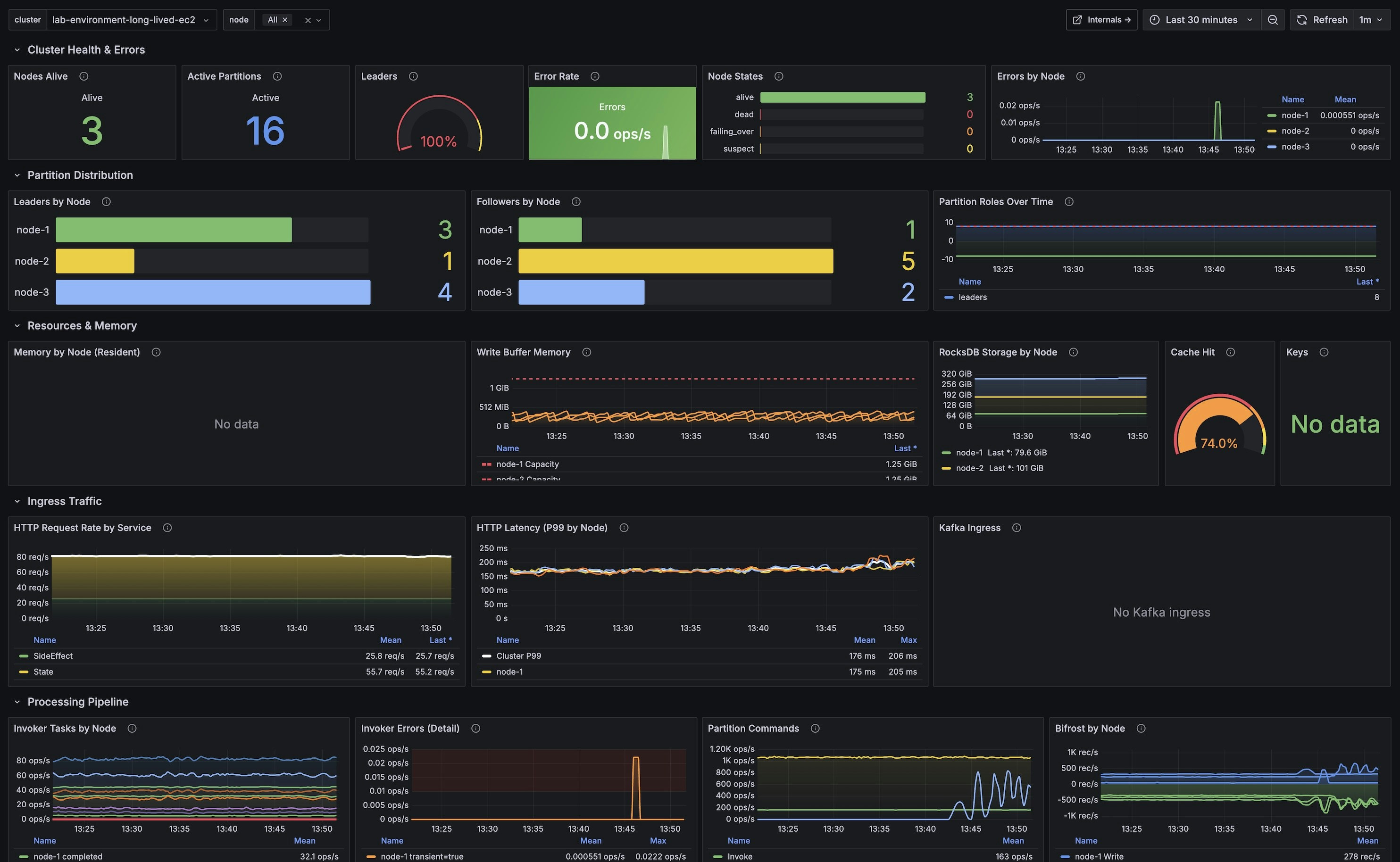
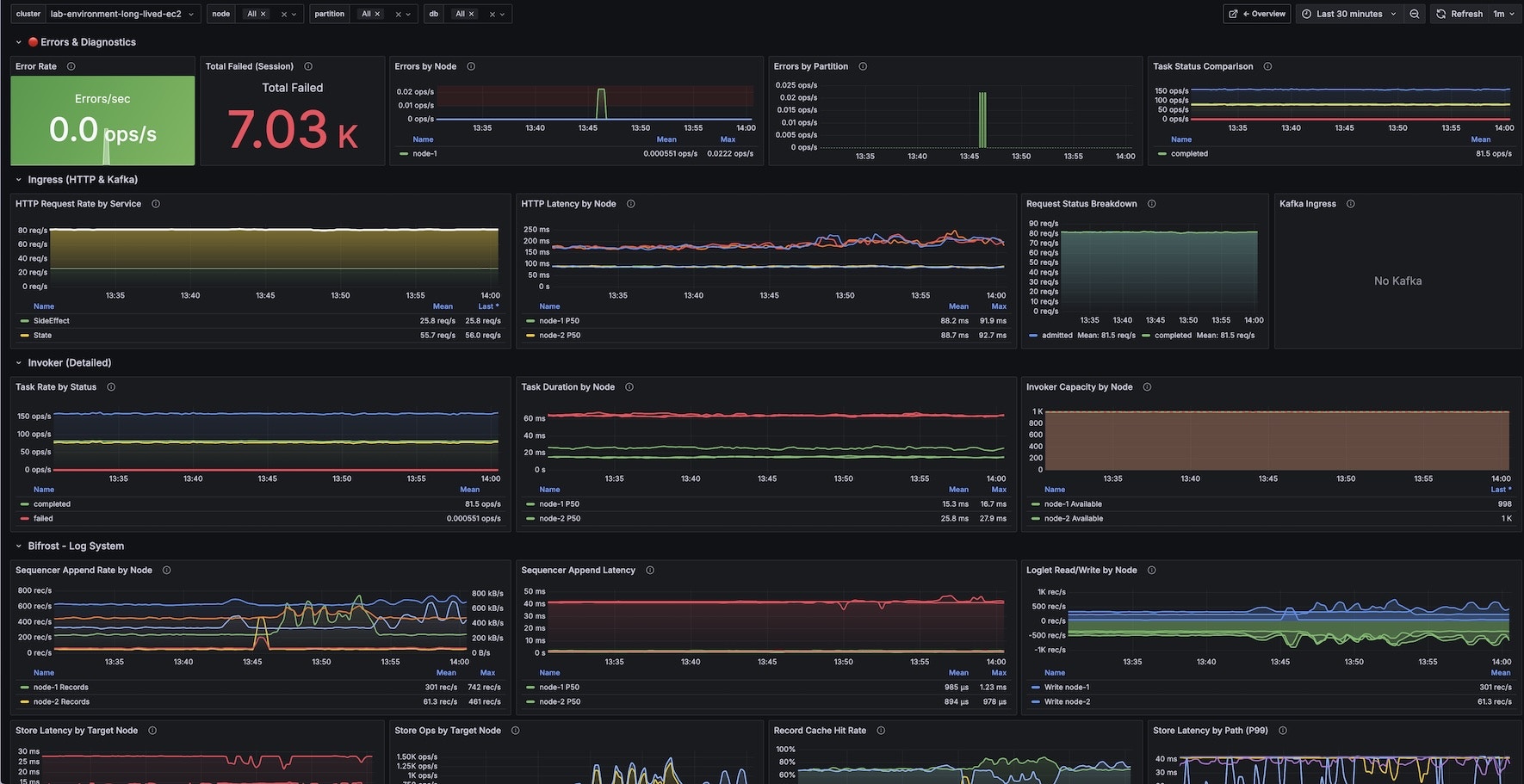
Restate provides two pre-built Grafana dashboards for monitoring your cluster. You can import them directly from Grafana.com:
To import a dashboard:
- Open Grafana and go to Dashboards > Import
- Enter the dashboard ID (24747 or 24748) and click Load
- Select your Prometheus datasource
- Click Import
Overview Dashboard
Internals Dashboard
Example Metrics
This is a non-exhaustive list of metrics that can be used to measure system performance:restate_ingress_requests_total(counter) - Number of ingress requests in different states (admitted, completed, throttled, etc.)restate_ingress_request_duration_seconds(summary) - Total latency of Ingress request processing in secondsrestate_rocksdb_estimate_live_data_size_bytes(Gauge) - Size of the live data in RocksDb databases in bytesrestate_invoker_invocation_task_total(counter) - The number of invocation tasks to user handlers