How does Restate help?
Building this yourself requires message queues, databases, and polling workers. Restate replaces all that with a few lines of code:- Durable promises: Create promises that survive failures and restarts
- Zero infrastructure: No queues, databases, or polling workers needed
- No race conditions: Late subscribers immediately receive already-resolved results
- Serverless-friendly: Handlers suspend while waiting - pay only for active compute
- Works with any LLM SDK and any language supported by Restate
Example
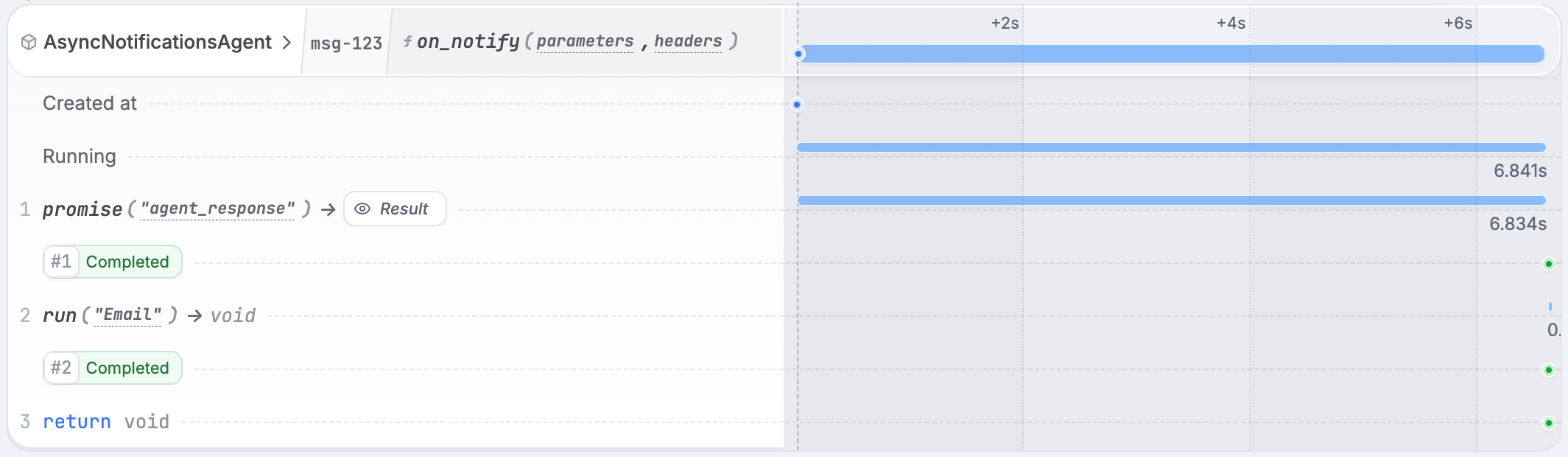
The pattern works in two steps: Step 1: The agent handler processes the request and resolves a workflow promise with the result. Step 2: The notification handler awaits that workflow promise and sends the notification when it resolves.- OpenAI Agents
 OpenAI Agents
agent.py
Run the example
Run the example
1
Requirements
- AI SDK of your choice (e.g., OpenAI, LangChain, Pydantic AI, LiteLLM, etc.) to make LLM calls.
- API key for your model provider.
2
Download the example
Python
3
Start the Restate Server
4
Start the Service
Export the API key of your model provider as an environment variable and then start the agent. For example, for OpenAI:
Python
5
Register the services
- UI
- CLI
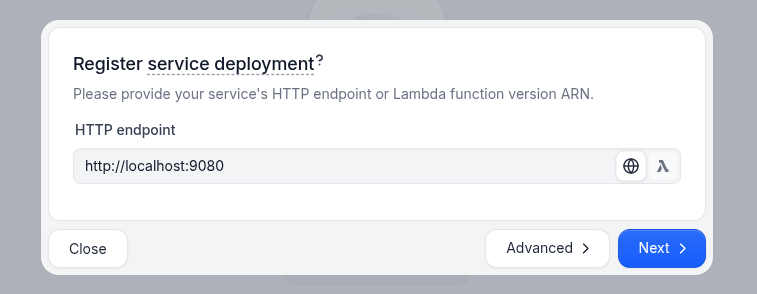
6
Send a request
In the UI (Then, asynchronously call the Notice that the key
http://localhost:9070), click on the run handler of the AsyncNotificationsAgent to open the playground and send a request to the run handler and then the on_notify handler.Or send requests via the terminal.First, start the agent asynchronously by using the send verb:on_notify handler to send the agent response via email once it’s ready:msg-123 is identical for both requests, to send them to the same workflow instance.7
Check the Restate UI
In the Restate UI, you see how the notify handler waited on the agent response and then sent the email.