Langfuse Documentation
Learn more about Langfuse’s observability, prompt management, and evaluation features.
Instrumentation setup
Select your Agent SDK:- OpenAI Agents
- Google ADK
- Pydantic AI
- Restate Py
 OpenAI Agents
Initialize the Langfuse client and wrap the OpenTelemetry tracer with
RestateTracer to correlate AI spans with Restate’s execution journal:__main__.py
Run the example
Run the example
Prerequisites: Langfuse account and API key, OpenAI API key, Restate installed.Get the example:Add your API keys to an Start the agent service:Start Restate with Langfuse tracing:Go to the Restate UI at
.env file:http://localhost:9070, register the service at http://localhost:9080, click on the handler to go to the playground, and send the default request.What you see in Langfuse
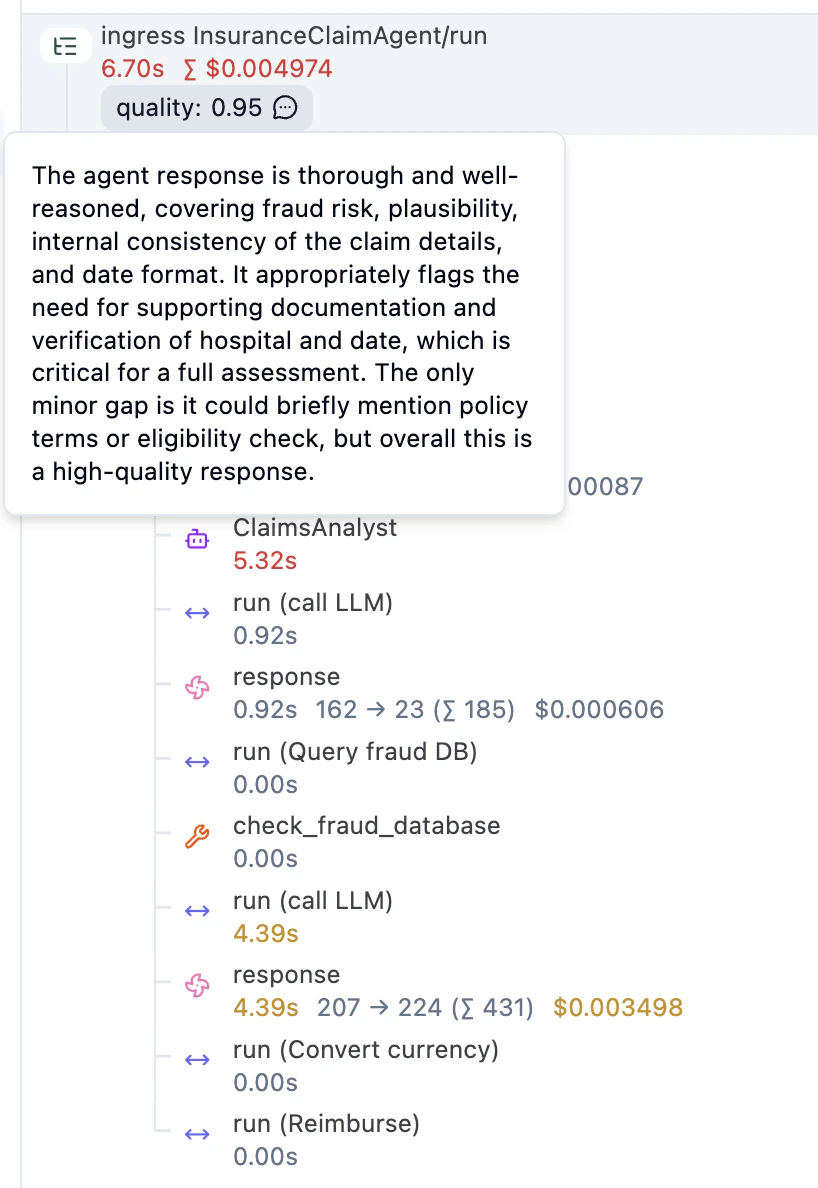
Once you send a request, you can inspect the trace in Langfuse. You see the agentic steps (LLM calls, tool invocations) alongside regular workflow steps (e.g. currency conversion, reimbursement), with inputs, outputs, model configuration, and token usage for each LLM call. Restate manages the execution, starts the parent span, and exports the full journal as OpenTelemetry traces. The Langfuse SDK attaches AI-specific spans and metadata under Restate’s parent span.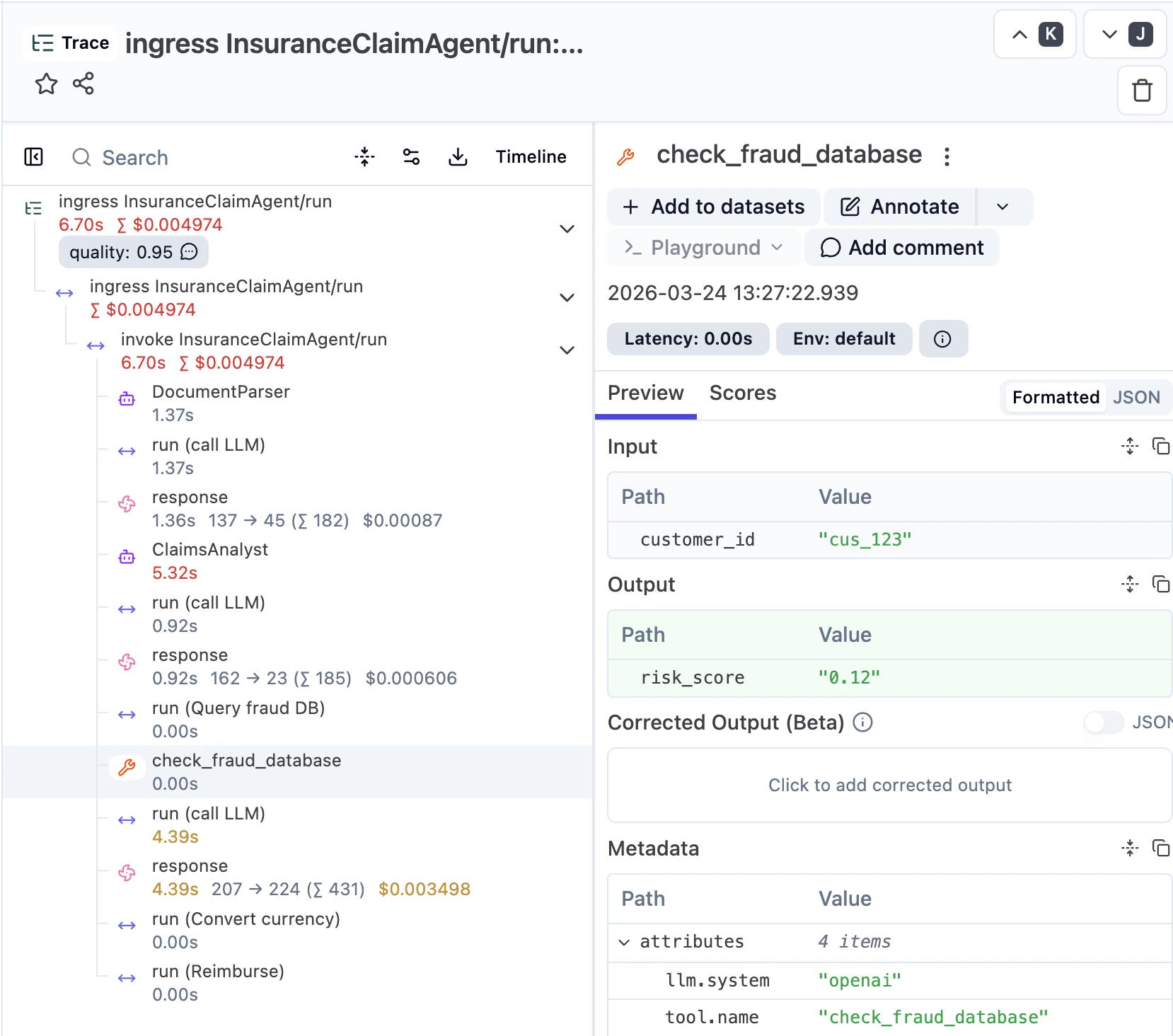
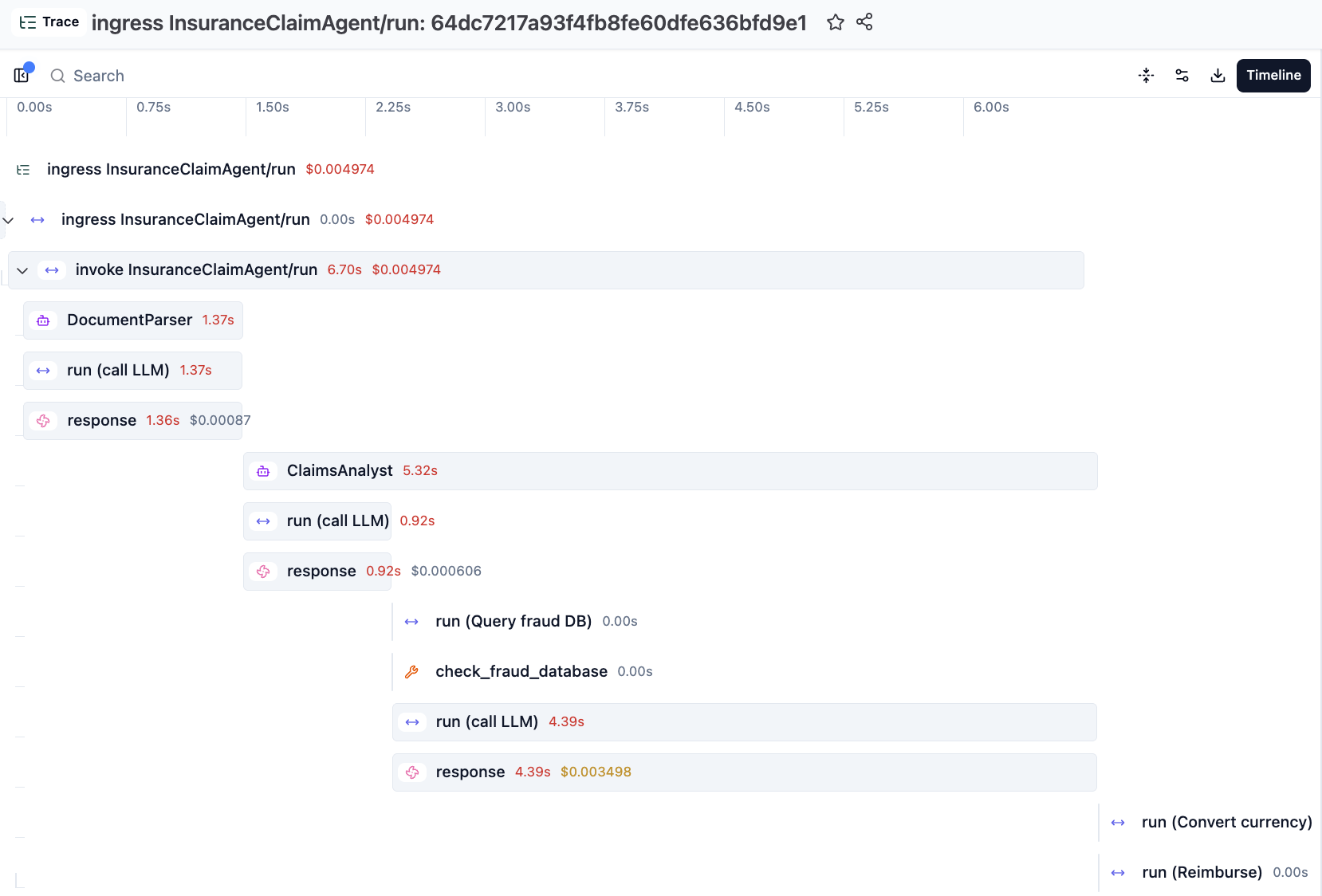
Restate’s Tracer Provider flattens the Langfuse spans to make them appear consistently structured with the Restate spans in the UI.
We are working on a next iteration of the integration which will respect the Langfuse span nesting and puts the Restate spans at the right depths inside them.
Going further
Langfuse and Restate complement each other beyond basic tracing:Versioning
Restate’s versioning model ensures each trace is linked to a single immutable code version. Compare quality across versions in Langfuse and spot regressions.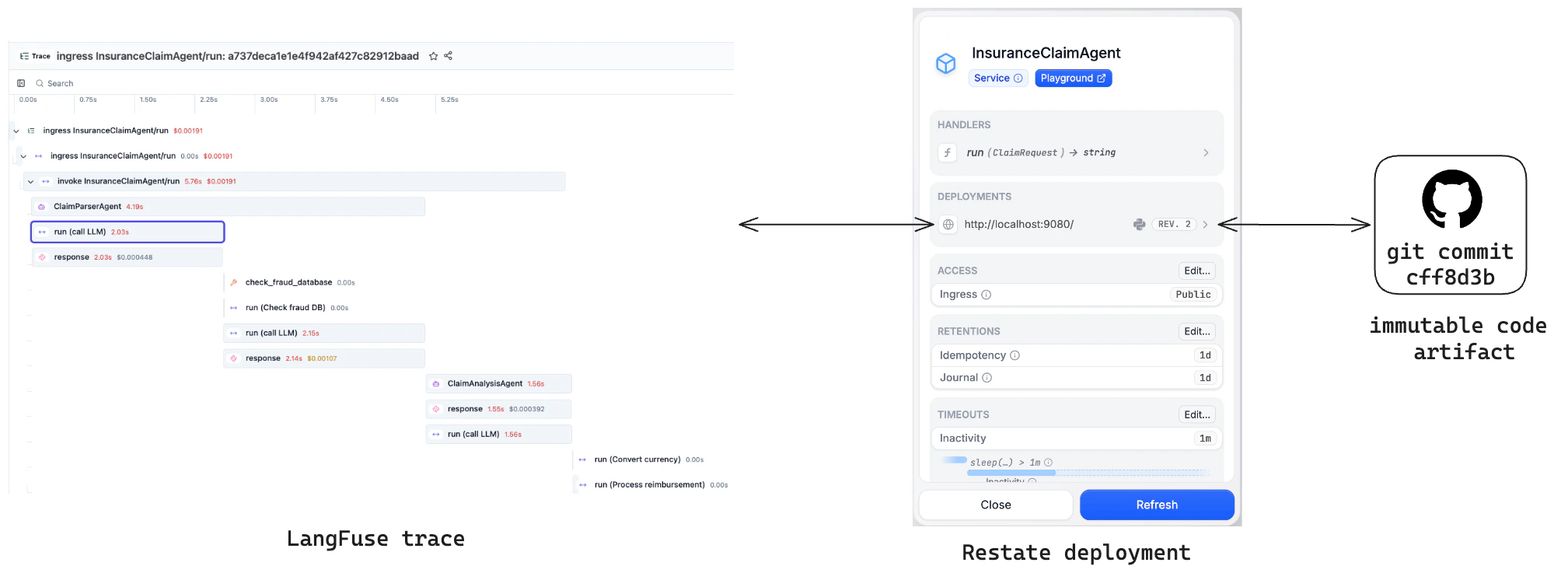
Prompt management
Fetch version-controlled prompts from Langfuse as a durable step withctx.run. Retries reuse the same prompt; new executions pick up the latest version.
Async evals example
Run LLM-as-a-Judge evaluations as async Restate workflows that don’t block agent execution. Restate acts as both the queue and the orchestrator. See the example below. You can submit an evaluation from the agent via a one-way call, so it runs asynchronously without blocking the main agent. The eval workflow runs an LLM judge and writes the score back to the original trace in Langfuse:evaluation.py