Restate UI
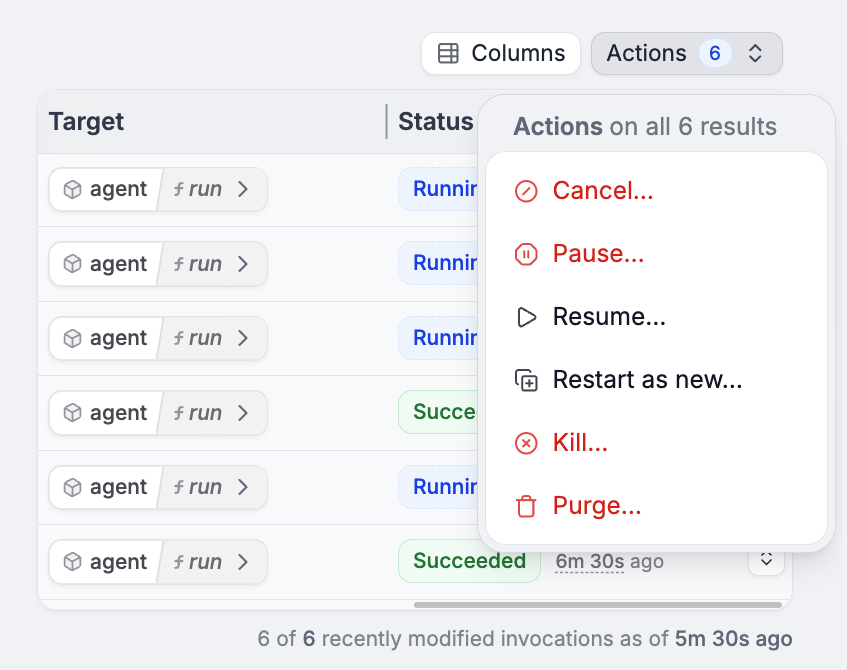
The Restate UI (http://localhost:9070) provides a live view of your agent executions:
- Invocations list: See all running, suspended, and completed agent invocations
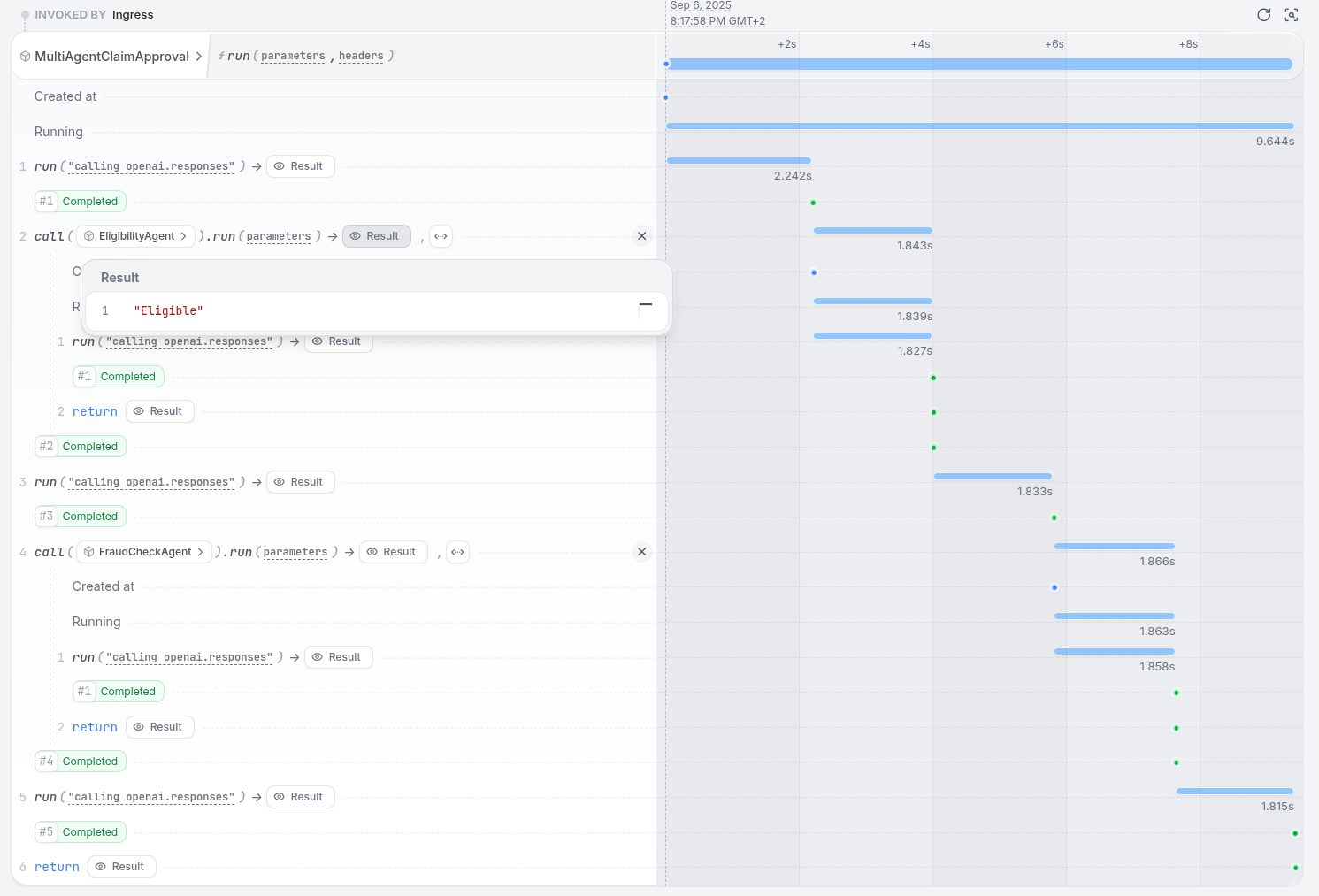
- Journal view: Inspect the step-by-step execution of any agent, including inputs, outputs, and timings
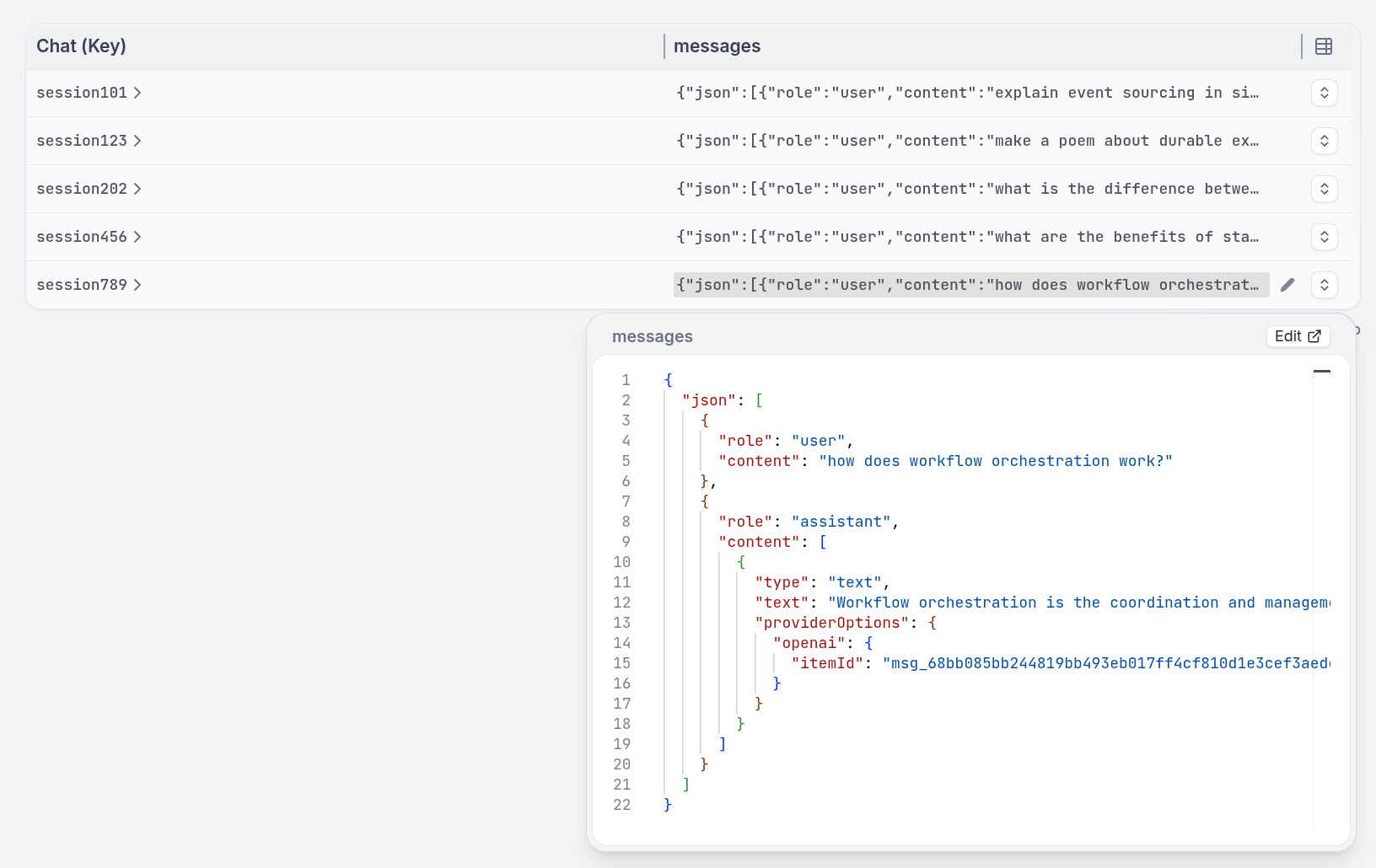
- State view: View the current K/V state of Virtual Objects (sessions, agent state)
- Nested calls: For multi-agent systems, trace the complete call chain across services in a single view
Tracing
Restate exports OpenTelemetry traces for all agent executions. Connect to your existing observability stack:- LangFuse, Jaeger, or any OpenTelemetry-compatible backend
- Each durable step appears as a span in the trace
- Cross-service calls (remote agents) are connected in a single distributed trace
Cancelling and killing agents
You can manage stuck or runaway agents:- Cancel: Gracefully stops an invocation, allowing compensation/cleanup logic to run
- Kill: Immediately terminates an invocation without cleanup